Web-based radio tools for modern stations.

Plan clocks, run carts, manage copy and spots, and keep your station on air from one web-based platform.

From internet radio streamers to professional broadcast stations, plus a revolutionary web-based playout system in development.

30-day free trial. No card required to start. Cancel anytime.

Stations already using MyRadioTools

WKUL
Hello Huntsville
103.1 pure rock fm variety station
Spirit 94.3
Lazy Radio
H!TS724

Web-based radio tools for clocks, carts, copy, spots, and playout

MyRadioTools gives you web-based broadcast clocks, web carts (sound carts), copy management, and spots in one place, with a revolutionary web-based playout system in development. Built for radio stations and internet radio streamers. No juggling multiple tools; everything stays in sync.

Broadcast clock: web-based programming clocks in minutes

Creating a programming clock is straightforward: add segments, set start times and durations, and see a live preview as you go. Use the calendar view to see which clocks run when across the month. In Studio mode, a real-time clock and a live indicator on your program clock show exactly where you are in the hour.
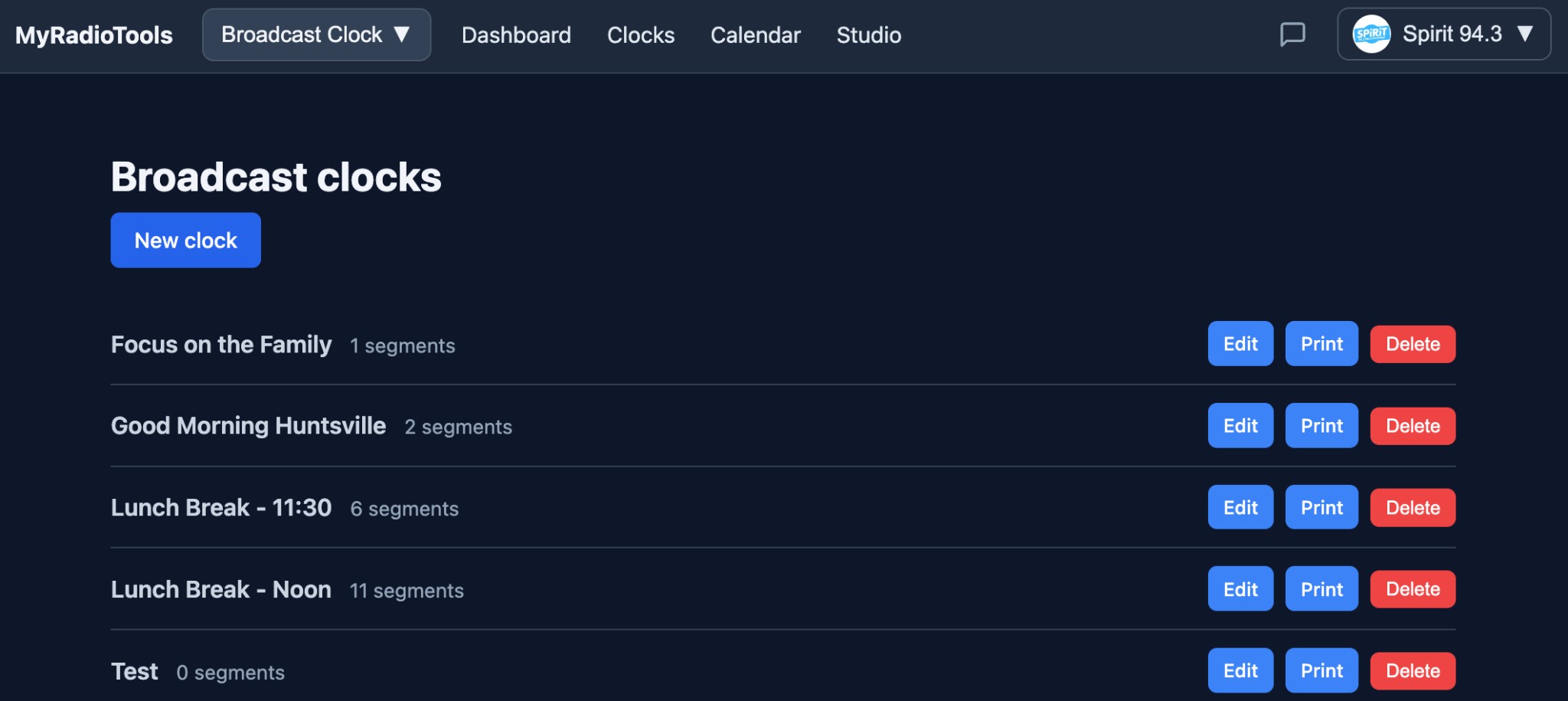
Clocks list Create a new clock, then Edit, Print, or Delete, all in one place.
List of broadcast clocks with New clock, Edit, Print, Delete
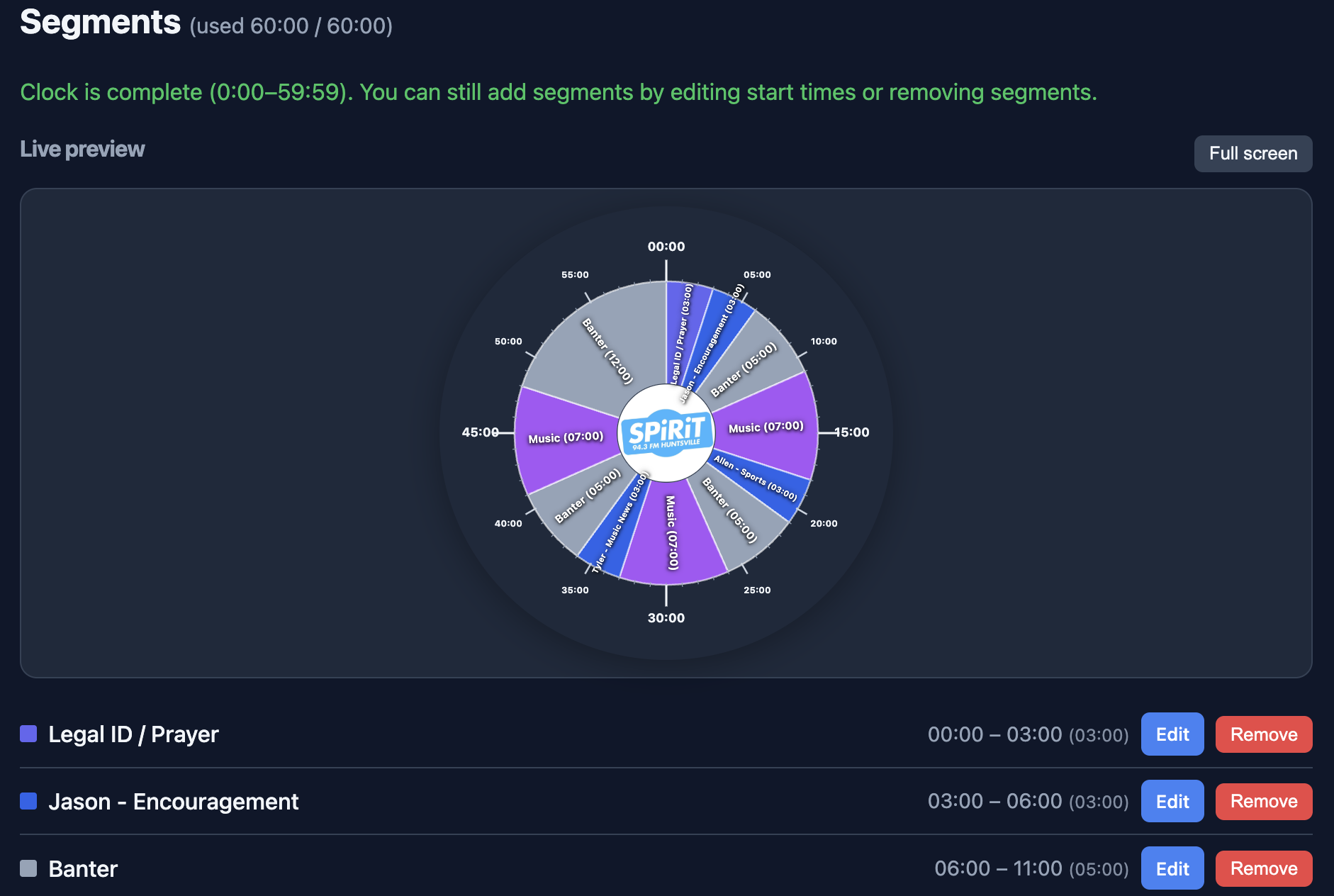
Segments Build your hour with a live preview; add, edit, or remove segments easily.
Segments editor with live preview and segment list
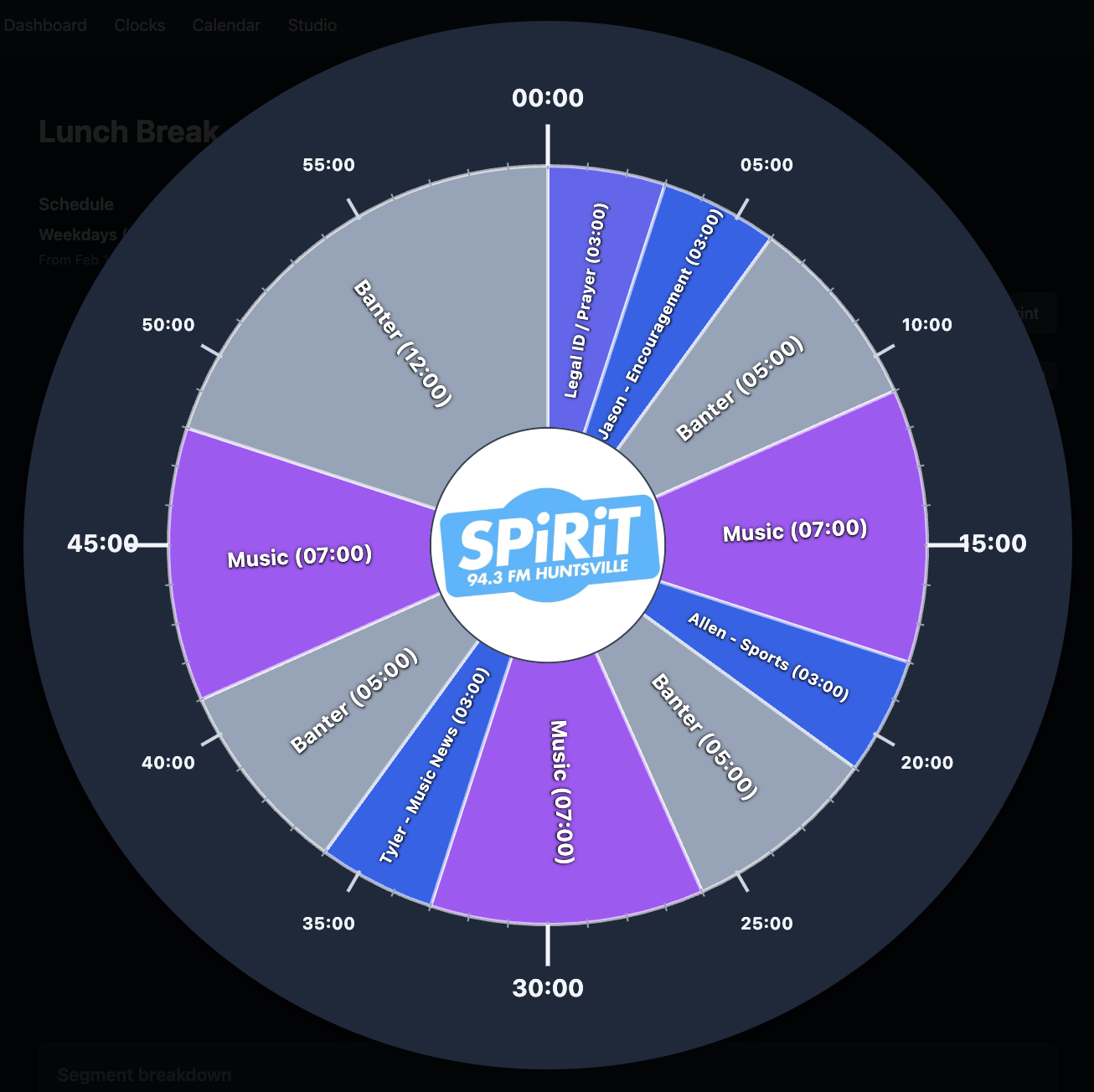
Clock view See your full hour at a glance with segment names and durations.
Circular clock view with segment breakdown
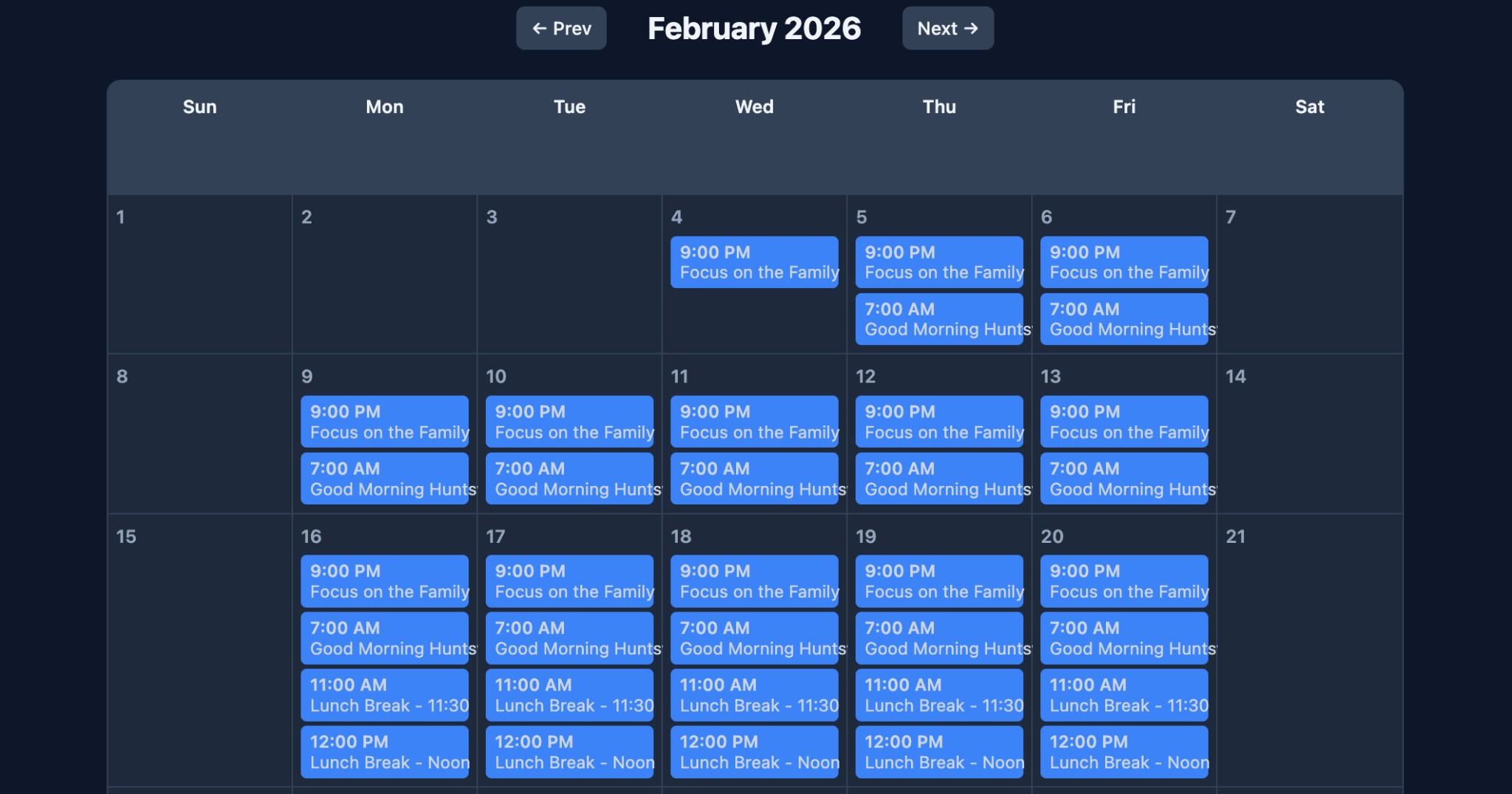
Calendar view See which clocks run when, day by day, across the month.
Calendar view showing scheduled clocks by day
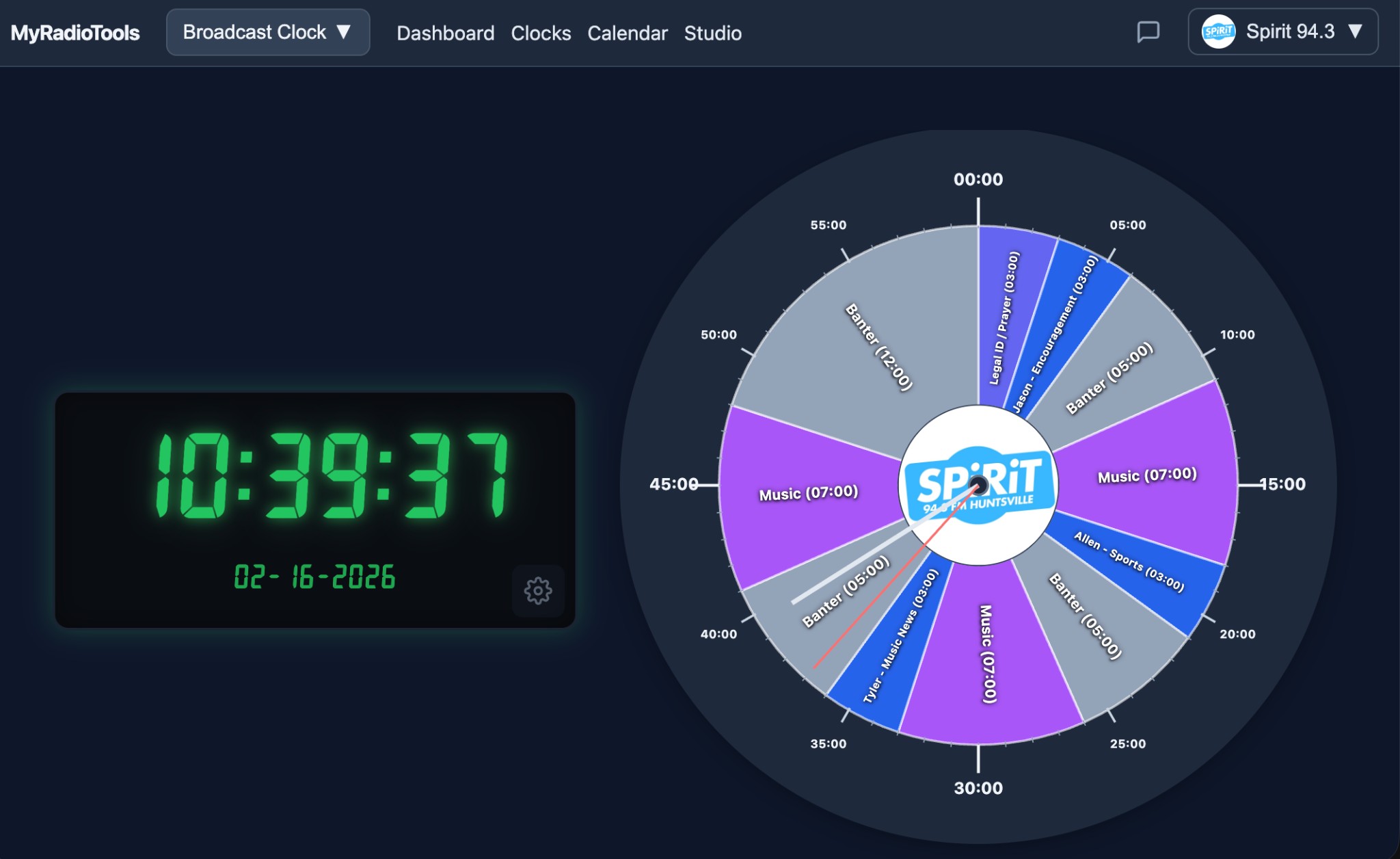
Studio mode Real-time clock plus a live indicator on your program clock so you always know where you are in the hour.
Studio mode: real-time clock and live position on program clock

Sound carts (web carts): your digital cart wall & jingle palette
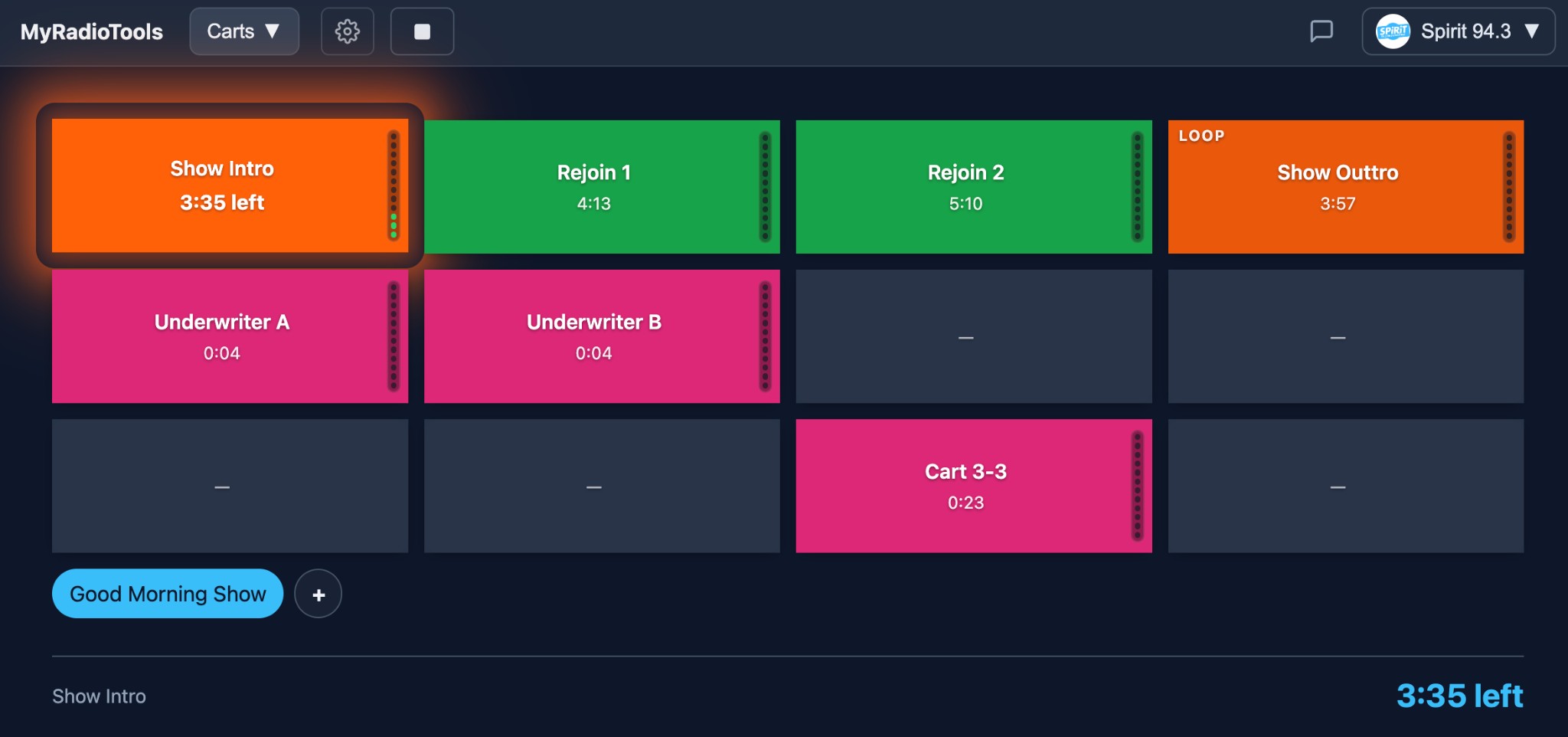
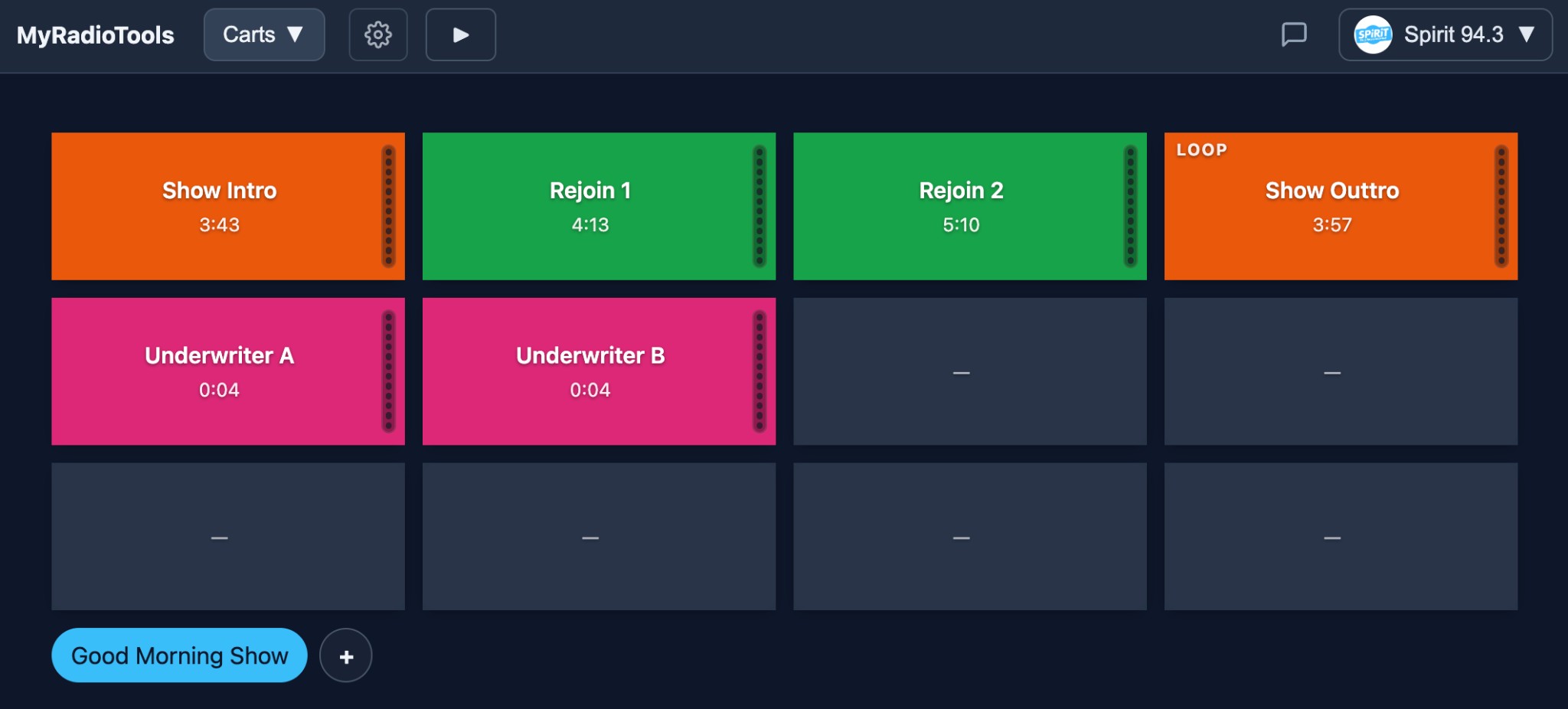
Cart grid — your web-based sound board Easily see what cart is playing, time remaining, a VU meter, and other visual cues so you’re never guessing. Color-code carts, see durations, control playback with crossfade, and loop when you need to. Use it as a sound board in the studio or for internet radio from anywhere.
Carts app: grid of audio carts with playing indicator, time remaining, VU meter, and color-coded labels
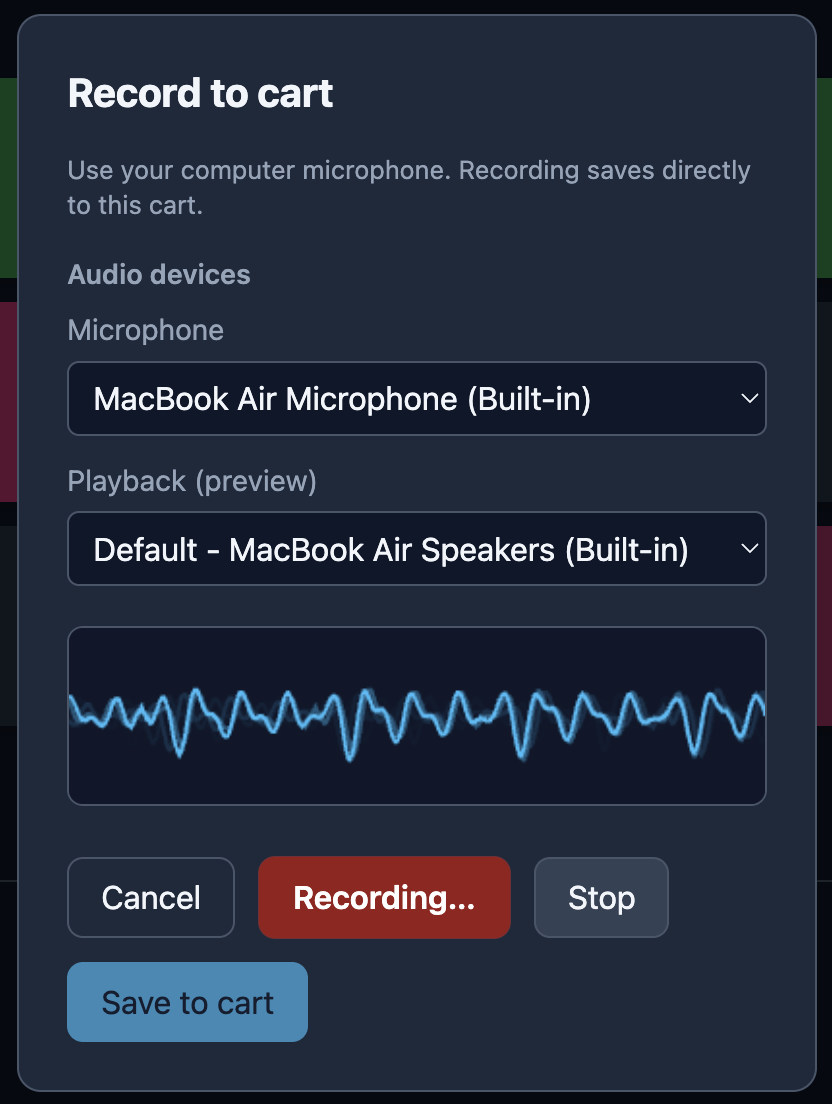
Record to cart Record straight into a cart from your computer, tablet, or phone. Pick the right microphone and playback sources so you get exactly what you need—no extra routing.
Record to cart: choose microphone and playback devices, record and save to cart
Same grid, any device Carts live on the web—the same grid from any device—so they’re perfect for remote or in-studio. Organize in pages, upload or record in-app, and stay in sync everywhere.
Carts: organize in pages, same grid from any device

Copy management, spots, and web-based playout
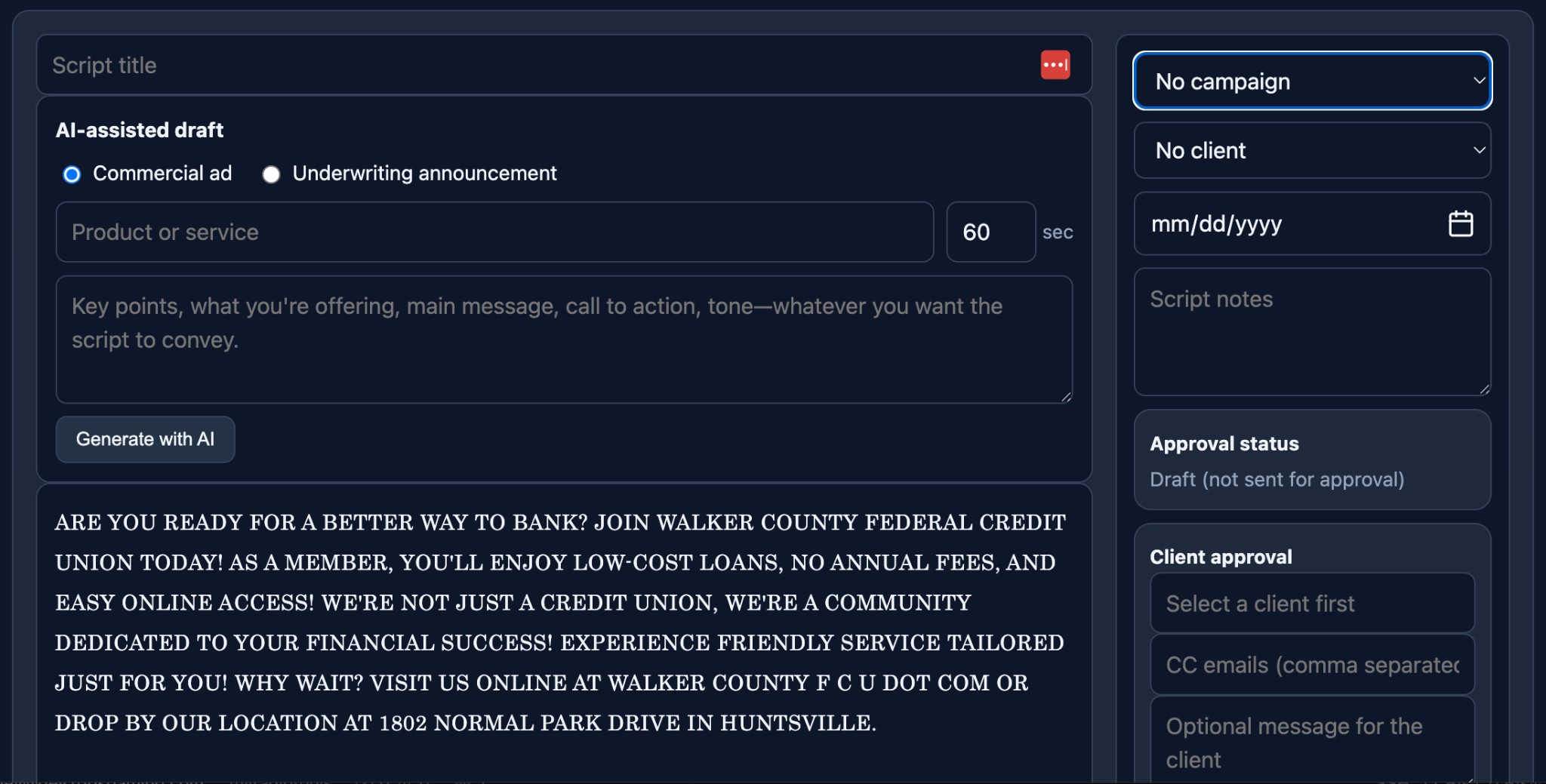
Copy management and approvals Create scripts fast with AI-assisted drafts, assign clients and campaigns, add notes, and keep copy approvals organized in one workspace.
Copy management: script editor with AI-assisted draft, campaign/client fields, and approval workflow
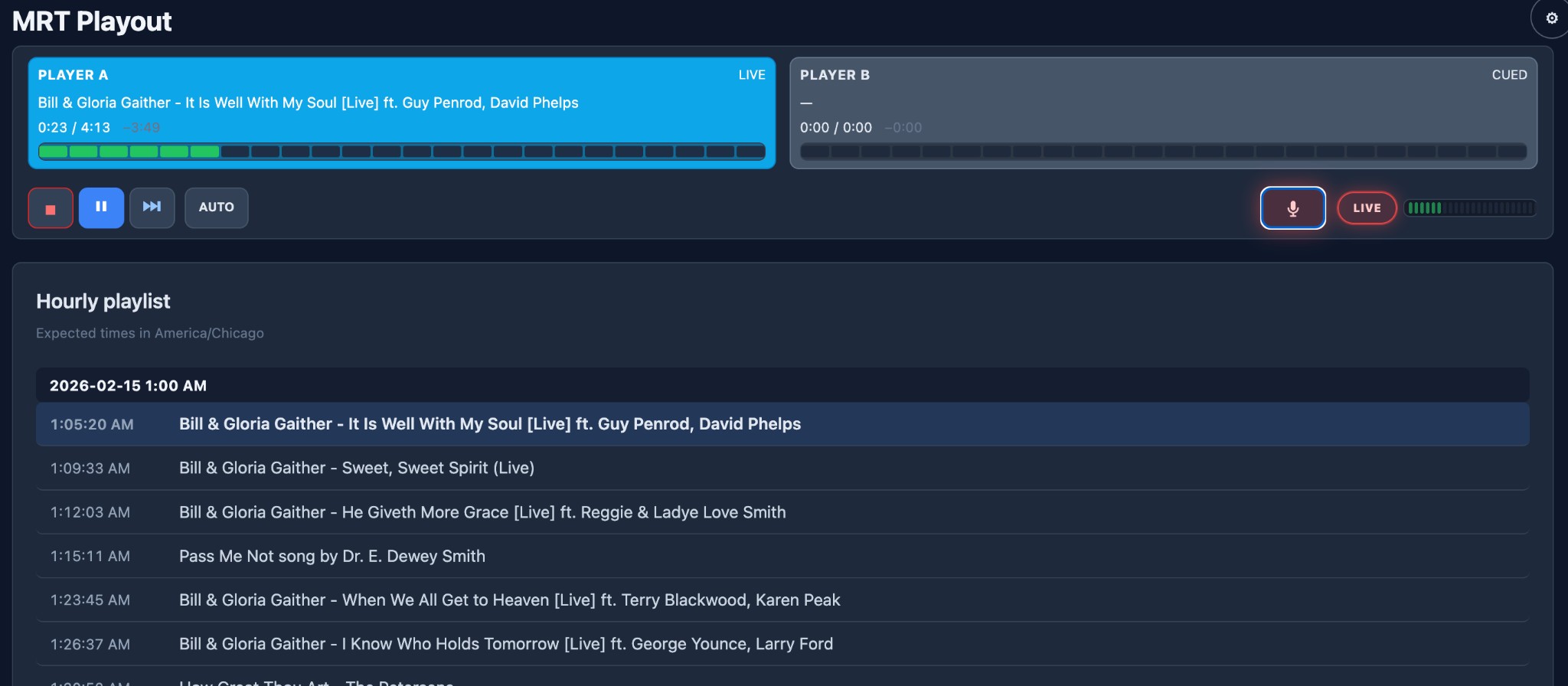
Revolutionary web-based playout (in development) Dual-deck live playout in the browser with hourly playlists, automation controls, mic/live tools, and real-time timing for internet radio and broadcast workflows.
MRT Playout view with dual decks, transport controls, live mic tools, and hourly playlist
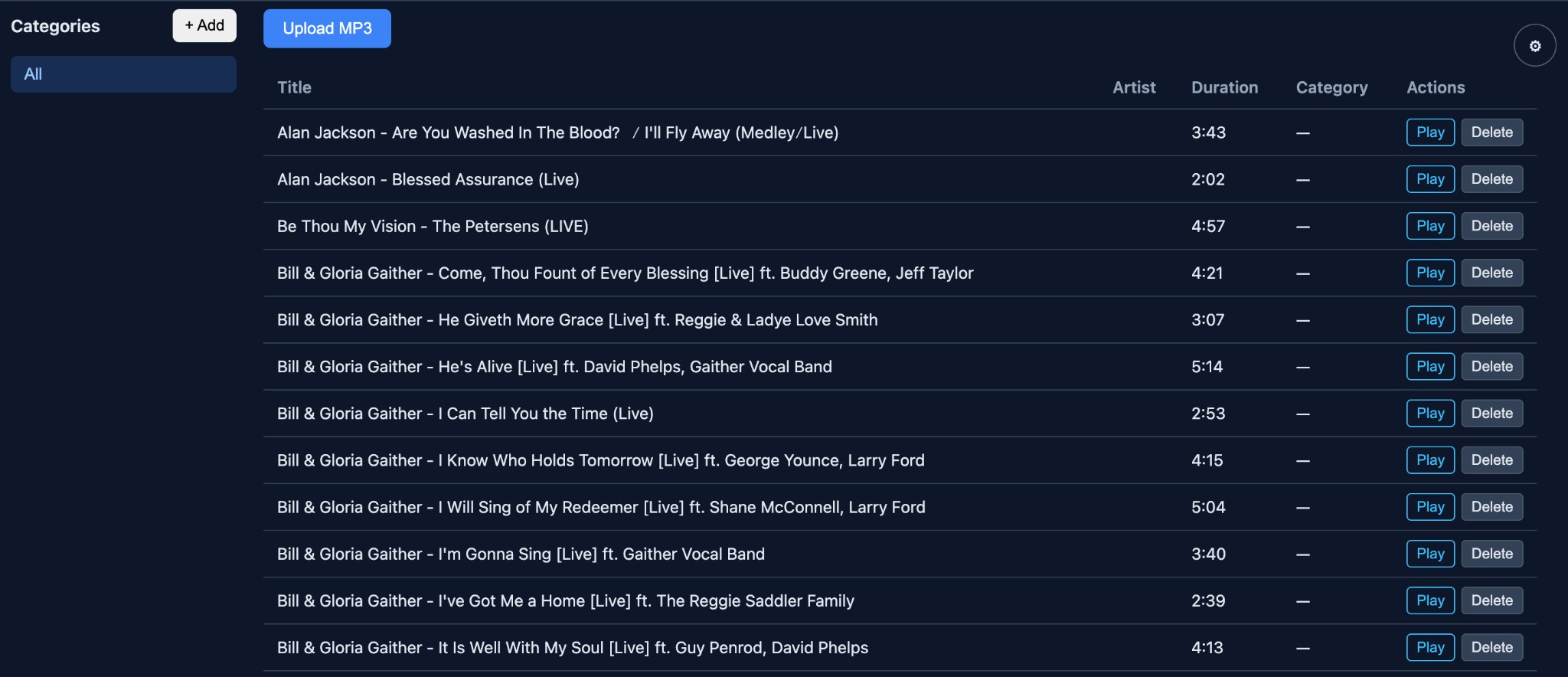
Music library and spot-ready organization Manage your track library by category, upload quickly, and keep titles, artists, durations, and actions in one clean table for scheduling and playout.
Music library view with category sidebar, upload controls, and track list with durations

Get started in minutes

One account gives you access to clocks, carts, copy management, and spots, with web-based playout in active development. No long-term commitment.

30-day free trial · No card required

Sign up free Log in

Pricing · After the trial, simple monthly or annual plans.